2.3 Firmware update
Note:
Please note that you must download the firmware update for each printer individually and save it to the USB stick.
Each printer must be updated separately.
If you click on the two dots [...] after the firmware in the second line, this dialogue window opens:
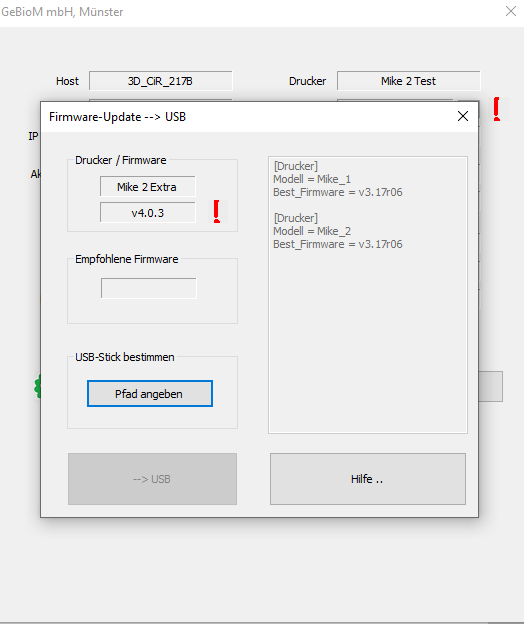
Here you can see the firmware currently in use and, if available, the latest version that is available for your printer. You can then carry out the firmware update on your printer as usual.
You can find more information about this on our support page (https://gpsupport.de/fertigung-gp-mike-support).